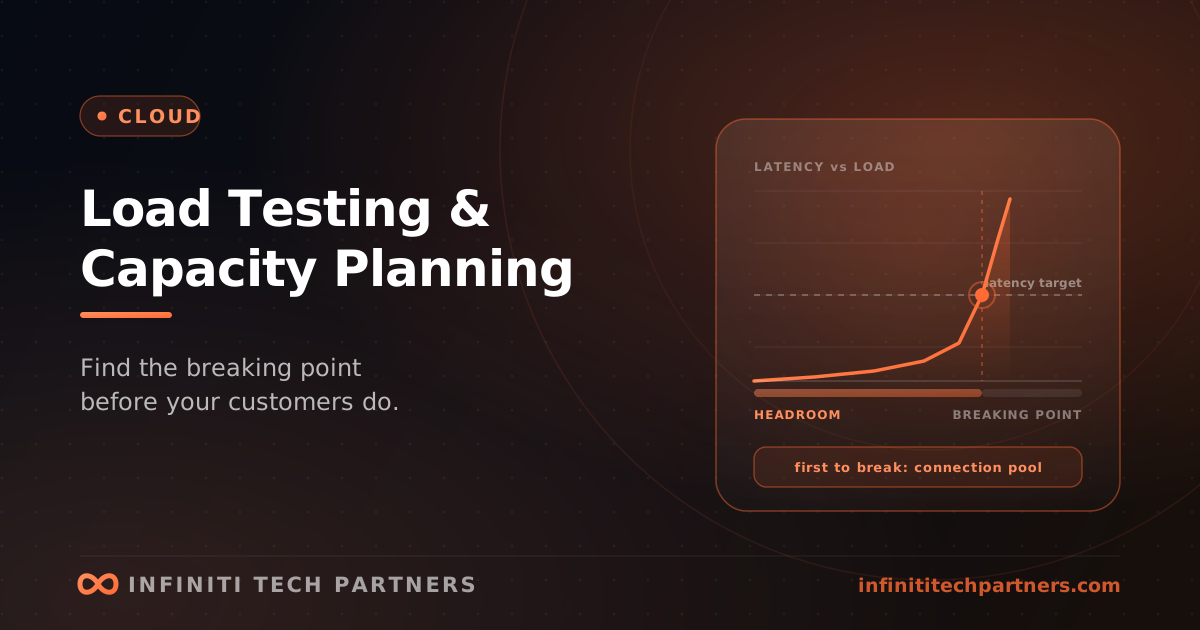
Ask most growth-stage engineering teams how much traffic their system can take and you'll get a shrug with a number attached — usually derived from current peak multiplied by a comfortable-sounding factor. That answer is fine until the day it needs to be right: a customer onboards ten times the users they mentioned during the sale, a product launch lands, a partner integration starts polling, or a marketing campaign works better than expected. What follows is rarely a graceful degradation. Systems under sustained overload don't slow down proportionally; they hit a resource limit somewhere unglamorous and fall over, and the post-incident review discovers that the constraint was a database connection pool setting nobody had revisited since the project was created. Capacity planning is the practice of finding that constraint on a Tuesday afternoon rather than during your largest customer's business hours.
Autoscaling is not a capacity plan
The most common reason teams skip this work is a belief that elasticity has solved it — the application tier scales horizontally, so capacity is a billing question rather than an engineering one. That holds only for the stateless part of the system, which is rarely the part that breaks. Scaling your application tier from ten instances to sixty means sixty instances opening database connections, and the database has a hard connection limit that is not elastic. It means sixty instances calling a third-party API with a rate limit negotiated for your previous volume. It means more concurrent workers pulling from a queue whose downstream can't absorb them. Autoscaling under load frequently accelerates a failure rather than absorbing it, because it converts a slow-response problem into a resource-exhaustion problem further down the stack — and it does so faster than a human can intervene. Scaling policies also have latency: instances take time to start, warm caches, and pass health checks, so a spike that arrives faster than your scale-out time is absorbed by whatever headroom already existed, not by the policy. The useful mental model is that autoscaling handles variation within a known envelope, and capacity planning is the work of establishing where that envelope's edges are.
Four tests, four different questions
Load testing gets treated as one activity when it's really four, each answering something distinct. A load test runs expected peak traffic and asks whether performance stays within your targets — this is the regression test, and it belongs in a pipeline. A stress test increases load past the expected peak until something breaks, and its output is the two numbers that matter most: where the system stops meeting its targets, and how it behaves past that point. Does it shed load cleanly, or does it collapse and refuse to recover once load drops? A soak test runs moderate traffic for hours, and it's the one teams skip and most need, because it's the only way to find memory leaks, connection leaks, unbounded queues, log volume filling a disk, and slow degradation that never appears in a fifteen-minute run. A spike test applies a sudden step change and measures whether your scaling and your caches survive it — sudden traffic against a cold cache is a materially different event from the same traffic ramped up over ten minutes. If you only ever run one, run the soak test; if you can run two, add the stress test, because knowing your breaking point is more valuable than confirming a number you already believe.
What actually breaks first
- Database connection limits — the application tier scales out, each instance holds a pool, and the database refuses new connections long before CPU is the issue. Connection pooling in front of the database is usually the fix, and it should exist before you need it.
- A single writer — read replicas absorb read growth, but write throughput has one ceiling, and it arrives without warning as lock contention rather than as a gradual slowdown.
- Third-party rate limits — payment providers, email services, identity providers, and LLM APIs all have quotas that your load test will hit and your incident will hit harder.
- Background job queues — a backlog that grows faster than workers drain it is a failure mode with no self-recovery, and the user-visible symptom (a delayed email, a stale report) often appears hours after the cause.
- Cache stampedes — an expiring hot key under load sends every concurrent request to the origin simultaneously, which is how a cache becomes an amplifier. Related caching decisions matter more under load than at rest.
- Connection and thread pool exhaustion in the application tier itself — one slow downstream dependency occupying every worker means unrelated requests fail too, which is why timeouts and bulkheads exist.
- Anything with unbounded memory growth per request — a report generation endpoint, a large export, a file upload path — where concurrency multiplies a per-request cost you never measured.
Testing against something that resembles production
A load test against an empty database is a test of your application server, not your system, and it will pass comfortably while telling you nothing. Query plans change with data volume; an index that isn't needed at ten thousand rows is mandatory at ten million, and the sequential scan that appears at scale is precisely the finding you wanted. So the test environment needs representative data volume and distribution — including the skew, because the tenant with fifty times the average data is the one whose queries will be slow. It also needs representative traffic shape: real systems don't receive uniform requests, they receive a long tail of cheap reads with a small proportion of expensive operations, and a test that hammers one endpoint at a fixed rate measures that endpoint rather than your system. Model the mix from your actual access logs. Think time and connection churn matter too, since real users pause and reconnect in ways that synthetic loops don't. And be deliberate about third-party dependencies — testing against a provider's sandbox measures the sandbox, while testing against production costs real money and may violate their terms, so most teams stub them with realistic latency and error rates, which is fine as long as you record that your test does not cover that dependency's behaviour under load. Testing in production with a controlled traffic share is the highest-fidelity option and is genuinely worth doing once you have the error budget framework to decide when it's acceptable.
Turning results into a number you can plan with
The output of this work should not be a report; it should be a sentence the business can act on: 'we serve X concurrent users at our latency target, we degrade above Y, and we have Z weeks of headroom at current growth.' Getting there means expressing capacity in units the business recognises — customers, orders, API calls per minute — rather than in requests per second, so that a sales forecast translates directly into an infrastructure question. Pair it with a cost figure, because capacity and cost are the same conversation: knowing that doubling capacity costs a specific amount per month makes the trade explicit rather than alarming. Then set a headroom policy and monitor against it, so the plan stays alive: a common posture is to maintain enough capacity for two to three times current peak, review it quarterly, and treat crossing the threshold as a planning trigger rather than an incident. The largest predictable risks deserve their own attention — a known enterprise onboarding, a seasonal peak, a launch — and the right response is a test at the projected volume before the date, not confidence afterwards. Retest after significant architectural changes, because capacity findings expire; the number you established six months and forty deploys ago describes a system that no longer exists.
How Infiniti Tech Partners approaches capacity work
These engagements are usually short and produce an unusually concrete deliverable. We start from your real traffic mix rather than a synthetic script, build a test environment with representative data volume and tenant skew, and run the stress and soak tests first because those find the failures nobody has seen yet — the leak that surfaces at hour three, the connection pool ceiling, the queue that never drains. The findings almost always include at least one constraint the team didn't know existed, and the remediation is frequently cheap once identified: a pooler, a bounded queue, a timeout, a missing index, a rate-limit negotiation with a vendor. We finish with the headroom number and the monitoring to keep it honest, so capacity becomes a quarterly review rather than an annual surprise, and we leave the test harness behind so it can run against future changes. If you have a large onboarding, a launch, or a seasonal peak on the calendar and you'd like to know what breaks before it does, this is a well-bounded piece of work with a definite answer at the end of it.
Frequently asked questions
Doesn't autoscaling remove the need for capacity planning?
No — it handles variation within a known envelope, and capacity planning establishes where that envelope's edges are. Autoscaling only helps the stateless tier, which is rarely what breaks. Scaling from ten instances to sixty means sixty instances opening database connections against a hard, non-elastic limit, and calling third-party APIs with rate limits negotiated for your previous volume. Under load, autoscaling frequently accelerates a failure by converting a slow-response problem into resource exhaustion further down the stack, faster than a human can intervene.
What kinds of load tests should we run, and which matters most?
Four tests answer four questions: a load test runs expected peak and checks you stay within targets; a stress test pushes past peak to find where you stop meeting targets and whether you shed load cleanly or collapse; a soak test runs moderate traffic for hours; and a spike test applies a sudden step change against cold caches. If you only run one, run the soak test — it's the only way to find memory and connection leaks, unbounded queues, and slow degradation that never appears in a fifteen-minute run. If you can run two, add the stress test.
What usually fails first when a SaaS system is pushed past capacity?
Database connection limits are the most common, since the app tier scales out and the database refuses new connections long before CPU is the constraint. After that: the single writer (arriving as lock contention rather than gradual slowdown), third-party rate limits on payments, email, identity, or LLM APIs, background job queues that grow faster than workers drain them, cache stampedes where an expiring hot key sends every concurrent request to the origin at once, and application thread pools occupied by one slow downstream dependency.
Related reading
Autoscaling That Actually Works: Right-Sizing for Spiky Traffic
Why autoscaling so often fails to save money or hold up under load — picking the right scaling signal, handling cold starts and slow scale-up, scaling stateful dependencies, and testing that it works before the spike does.
CloudCloud Lock-In: What an Exit Plan Actually Costs
Avoiding every managed service is expensive insurance against an event that rarely happens. Where lock-in hurts, and what portability is worth buying.
CloudMulti-Region Architecture: When You Actually Need It, and What It Costs
Multi-region gets proposed for latency, availability, or data residency — three different problems needing three different architectures. How to tell which one you have before you rebuild.