Accessibility tends to enter a growth-stage company's life in one of two ways: as a line item in a procurement questionnaire from a deal you badly want to close, or as a demand letter. Both arrive with a deadline and neither is a good moment to discover that your design system was built without it. What makes this particular gap expensive is that accessibility is unusually structural — it lives in your component library, your markup semantics, your color tokens, and your interaction patterns, which means retrofitting it is not a sprint of fixes but a pass over everything you've built. The teams that handle it well aren't the ones with the strongest convictions about inclusive design; they're the ones who understood early that it's a distribution requirement, and built it into the components before there were four hundred screens using them.
What actually applies to you
The regulatory picture is less confusing than it looks once you separate the standard from the laws that reference it. WCAG — the Web Content Accessibility Guidelines — is the technical standard, and virtually every legal regime points at it rather than inventing its own criteria; WCAG 2.1 Level AA is the practical bar almost everyone is asked to meet, with 2.2 increasingly showing up in newer requirements. In the US, the ADA has been applied to websites and applications through litigation rather than a detailed technical rule, which is why demand letters cite WCAG as the de facto benchmark, while Section 508 governs anything sold to federal agencies and their contractors. In the EU, the European Accessibility Act extended obligations to a broad set of private-sector digital products and services, which matters to any SaaS with European customers regardless of where you're headquartered. And separately from all of it, large enterprise buyers impose their own accessibility requirements contractually — which is how a company with no direct legal exposure still ends up needing conformance to close a deal.
The VPAT is the artifact procurement asks for
When a buyer asks for 'your accessibility documentation,' what they usually want is a VPAT — a Voluntary Product Accessibility Template — filled out into an Accessibility Conformance Report. It's a structured document that walks each applicable success criterion and states whether your product supports it, partially supports it, or doesn't, with explanatory notes. Two things about it surprise people. First, it's a self-assessment, so its credibility rests entirely on being honest and specific; a report claiming full support across the board reads as unserious to anyone who has evaluated a few, and overstating conformance in a document a buyer relies on is a genuinely bad idea. Second, partial support with clear notes and a remediation timeline is a completely acceptable answer — buyers are usually trying to assess risk and trajectory rather than demanding perfection. Treat it the way you'd treat a SOC 2 report in a security review: the value is in demonstrating that you've assessed yourself rigorously and know where you stand, not in claiming there's nothing to find.
What actually breaks in a typical SaaS app
- Custom controls built from divs — dropdowns, modals, tabs, and comboboxes reimplemented without the keyboard behaviour and ARIA semantics the native elements would have given you for free. This is the single largest source of findings in most audits.
- Keyboard traps and unreachable functionality: anything you can only do with a mouse, plus focus that disappears into a closed modal or never moves to a newly opened one.
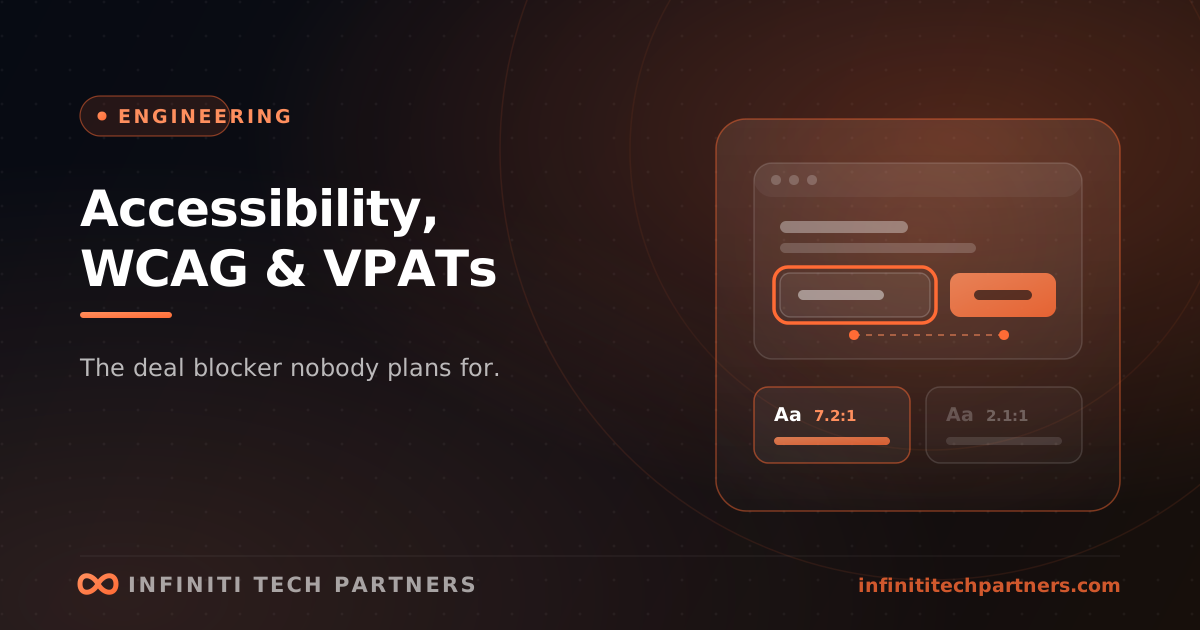
- Color contrast below 4.5:1 for body text — very common in dark themes, muted secondary text, and disabled states, and trivially detectable, which is why it dominates automated scan results.
- Forms without programmatically associated labels, and validation errors conveyed only by turning a border red.
- Images, icon buttons, and charts with no text alternative — the icon-only button is the classic offender.
- Dynamic updates that never reach assistive technology: toasts, async validation, live-updating tables, and single-page-app route changes that don't announce or move focus.
Automated testing finds maybe a third of it
There's a persistent belief that a linter or a scanning tool solves this, and it's worth dispensing with early: automated tooling reliably catches missing alt attributes, contrast failures, and unlabelled form fields, which is genuinely valuable and should run in CI on every pull request — but published analyses consistently put automated coverage at roughly a third of WCAG criteria. The rest requires judgment. Is that alt text meaningful or does it say 'image'? Does the tab order follow the visual layout? Can you complete the core workflow start to finish with a keyboard alone? Does the screen reader announcement make sense in context? The practical testing stack is three layers: automated checks in CI to stop regressions cheaply, a manual keyboard-and-screen-reader pass on your critical flows as part of QA, and periodic testing with actual assistive-technology users for the things no checklist surfaces. The middle layer is the one teams skip and the one that catches the findings that block deals.
Build it into components, don't remediate screens
The economics here are stark and they're the reason to act before you're under deadline. Accessibility fixed in a design system is a bounded piece of work — you have perhaps forty components, and getting the button, input, modal, menu, table, and tab components right propagates correctness to every screen that uses them, forever. Accessibility remediated screen by screen after the fact is unbounded, has to be redone as the product changes, and typically arrives with a procurement deadline attached. So the order of operations that works is: fix the design system first, then the highest-traffic flows (signup, login, core workflow, settings), then everything else opportunistically. Alongside that, make it structurally hard to regress — automated checks blocking merge, keyboard testing in the definition of done, contrast built into your color tokens rather than checked afterwards, and accessibility acceptance criteria in designs before implementation starts. Done that way it stops being a project with an end date and becomes a property of how you build, which is also the only version that stays true as the product grows.
How Infiniti Tech Partners handles accessibility
We treat accessibility the way we treat compliance generally — as an engineering problem with a procurement deadline attached, best solved in the component layer rather than screen by screen. A typical engagement starts with an honest audit against WCAG 2.1 AA: automated checks across the app, plus manual keyboard and screen-reader passes on your critical flows, producing a findings list ranked by user impact and deal risk rather than by scanner severity. We then fix the design system first so correctness propagates, work the highest-traffic flows next, and wire the regression protection into CI, your color tokens, and your definition of done. And we help you produce a VPAT that's honest and specific — clear notes, real remediation timelines — because that's the version that survives a buyer's review. If an enterprise deal has surfaced an accessibility requirement and there's a clock on it, that's exactly the kind of engagement we can scope quickly; we run a small number at a time, so the sooner we talk, the more likely we can meet your date.
Frequently asked questions
What accessibility standard does my SaaS actually need to meet?
WCAG is the technical standard nearly every legal regime points at, and WCAG 2.1 Level AA is the practical bar almost everyone is asked to meet, with 2.2 appearing in newer requirements. In the US the ADA has been applied to software through litigation citing WCAG as the de facto benchmark, and Section 508 governs sales to federal agencies and their contractors. In the EU, the European Accessibility Act extended obligations to a broad set of private-sector digital products, which matters for any SaaS with European customers. Separately, large enterprise buyers impose accessibility requirements contractually.
What is a VPAT and do I need one?
A VPAT (Voluntary Product Accessibility Template), filled out into an Accessibility Conformance Report, is the document enterprise procurement asks for. It walks each applicable WCAG success criterion and states whether your product supports, partially supports, or doesn't support it, with notes. It's a self-assessment, so credibility rests on being honest and specific — a report claiming full support everywhere reads as unserious, and overstating conformance in a document a buyer relies on is a bad idea. Partial support with clear notes and a remediation timeline is an acceptable answer; buyers are assessing risk and trajectory.
Is automated accessibility testing enough for WCAG compliance?
No. Automated tooling reliably catches missing alt attributes, contrast failures, and unlabelled form fields, and it should run in CI on every pull request — but published analyses consistently put automated coverage at roughly a third of WCAG criteria. The rest needs judgment: whether alt text is meaningful, whether tab order follows the visual layout, whether the core workflow can be completed with a keyboard alone, whether screen-reader announcements make sense. The practical stack is automated checks in CI, a manual keyboard-and-screen-reader pass on critical flows in QA, and periodic testing with real assistive-technology users.
Related reading
Rate Limiting for SaaS APIs: Protecting the Platform Without Punishing Customers
Rate limits decide who gets degraded when load spikes. Choosing algorithms, keys, and quotas that protect the platform without breaking integrations.
EngineeringCode Review That Actually Catches Things
Most review comments are about naming while the authorization bug ships. What review is for, what to automate, and how to make it fast enough to trust.
EngineeringCustomer-Facing Analytics Without Wrecking Your Production Database
In-app dashboards are the feature most likely to take your site down. How to separate the read path, pre-aggregate, and decide whether to build or embed.